Stock, sales and craft fairs for stallholders.
CraftSense Pro keeps your handmade business together, without spreadsheets or a shoebox of receipts. Sell through the Saturday rush with no signal. Know what each product costs and see whether the fair paid.
For makers selling at stalls, online and at fairs. QR labels and NFC tags open your products and shelves; recipes, VAT and bookings stay in the same place.
A calmer Saturday rush. A proper little business, not a cash box and a pile of receipts.
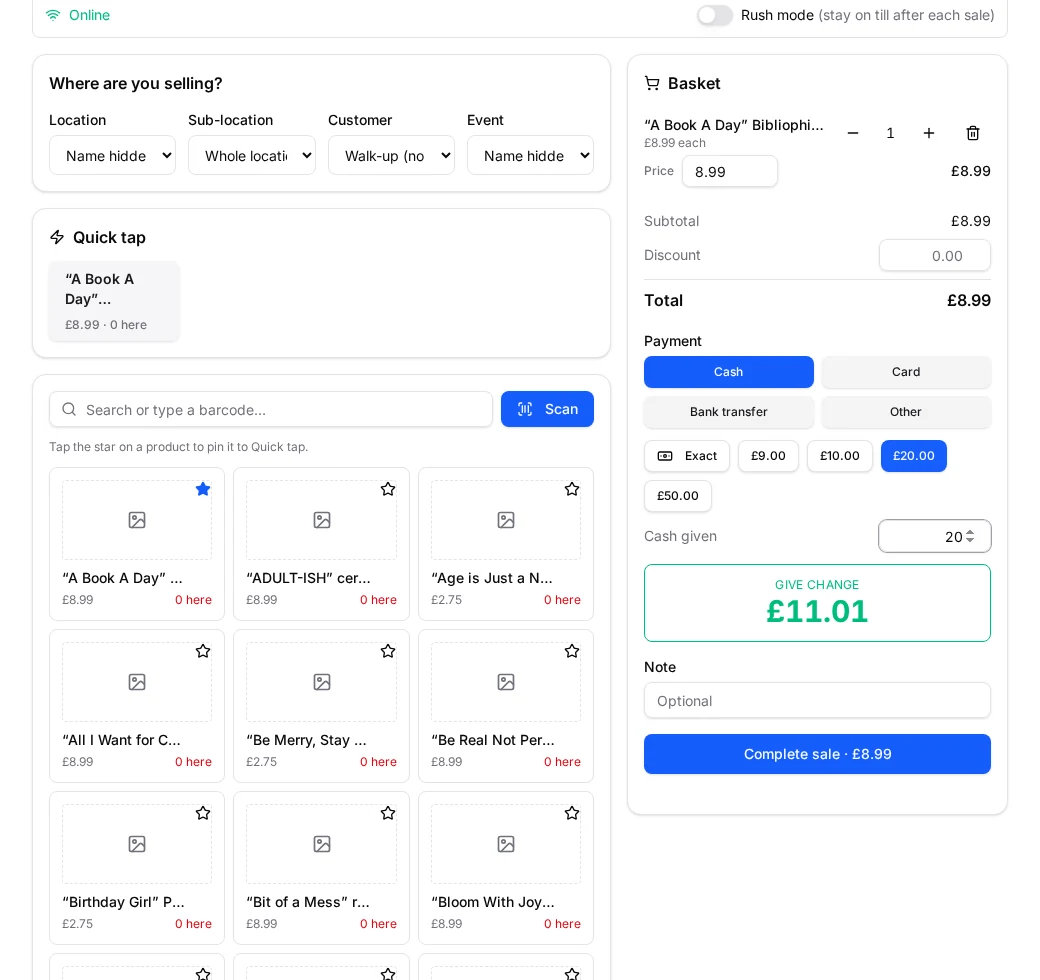
A look around the app
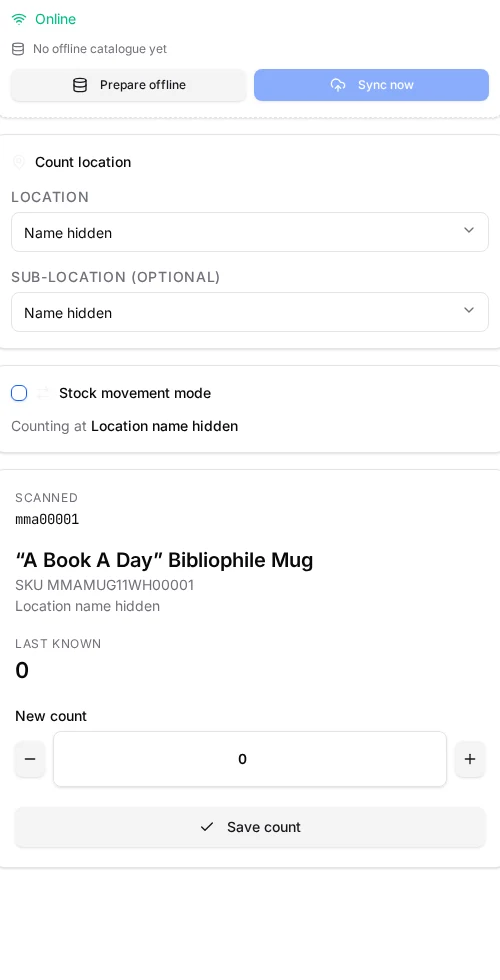
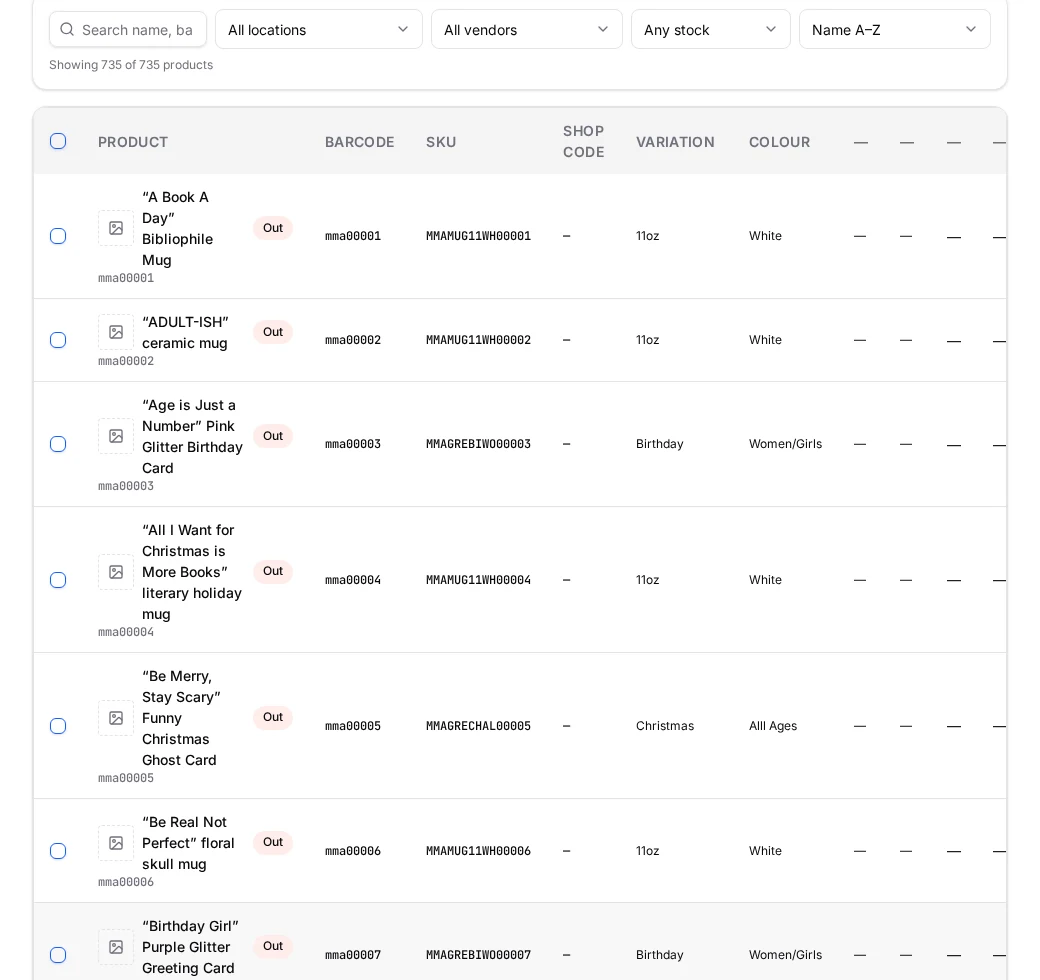
Real stock checks, selling, products and reports, with private details hidden. The other panels are labelled examples.
Stock check
Scan, count, done
Sell mode
Checkout built for a busy stall
Running out soon
Forecast from your real sales
Illustrative example
- Soy wax
- 9 days
- Wicks — 10cm
- 21 days
- Suggested order
- 8 kg
Machines
Cutters, presses, lasers and ovens
Illustrative example
- Vinyl cutter — Cameo 4
- 3 products
- Heat press
- Service in 12 days
- Blades & mats
- 4 parts
Service parts
What each machine needs, and who sells it
Illustrative example
- Cutting blade ×2
- £18.00
- Cutting mat
- Craft Supplies Ltd
- Full set
- £46.50
Recipes & batches
Materials come off as you make
Illustrative example
- Soy wax
- 180 g
- Fragrance oil
- 20 ml
- Cost per candle
- £2.94
Product catalogue
Names, codes and filters together
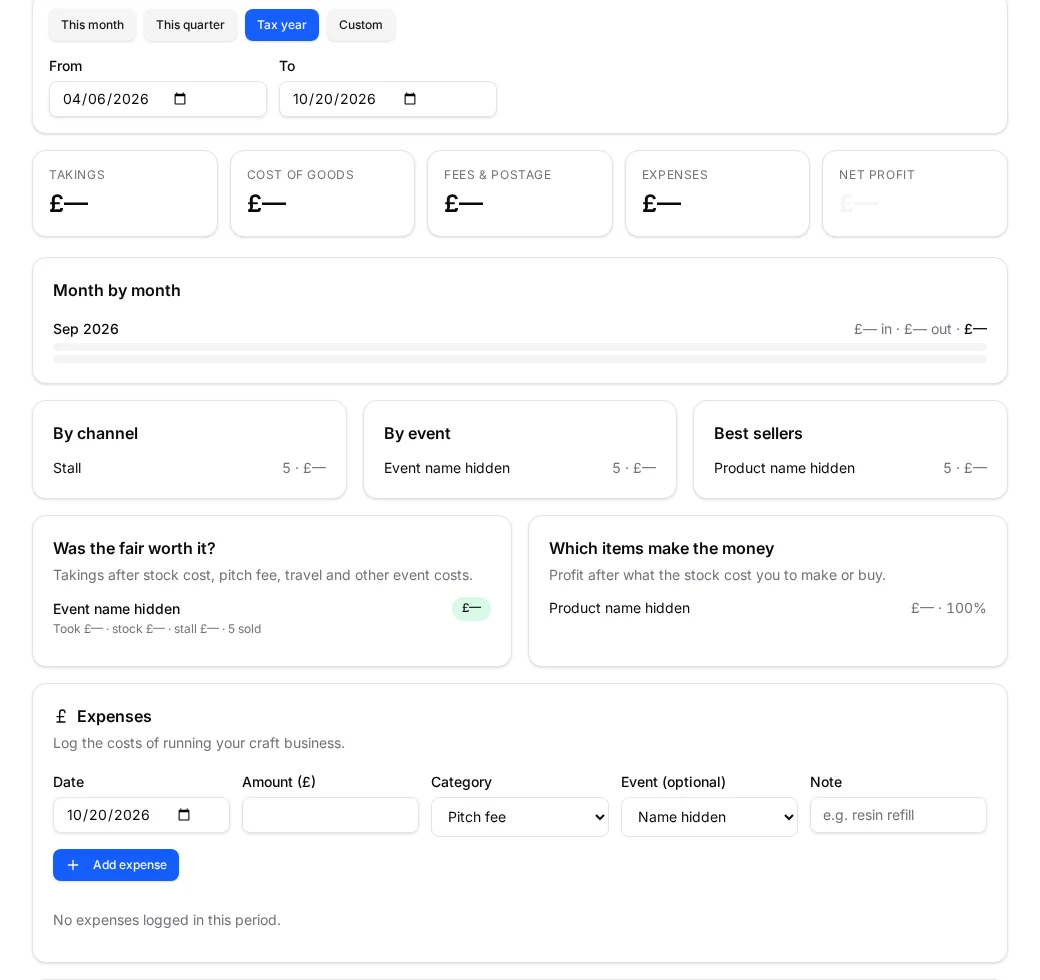
Was the fair worth it?
Profit after pitch, travel and stock
Everything a small craft business actually needs
One login for stock, selling, making, your customers and the money side.
Sell through the Saturday rush (no signal needed)
Keep the queue moving and the change right, even in a field with no bars. Open the till online before you go so your products are ready.
Quick tap for busy stalls
Star your best sellers to put big tappable tiles at the top of the till. One tap adds one item, keeping the Saturday queue moving.
Keep selling with no signal
Field with no phone mast? Sell mode keeps working offline. Sales are saved on your device and send themselves as soon as you're back in signal.
Sell mode
A fast checkout built for markets and fairs. Stock comes off as you sell, even when you're busy.
Barcode stock checks
Scan with your phone camera or a handheld reader and count stock across 4 locations on Stallholder, unlimited on Organiser, each with its own sub-locations.
Know your true cost per product
Materials, making time and machine costs together — so you can price your work as a business, not guess what feels about right.
Materials & recipes
Record what each product is made from, then make a batch and watch raw materials deduct automatically.
Batch & lot tracking
Every production run gets a batch number, date and the supplier lot number of each material. Trace candles, soap or food back to the oil, wax or flour used.
Machines & equipment
Log your cutters, printers, lasers, presses and ovens with hourly running costs and service dates. Link machines to products so machine time lands in the price.
Was that fair worth it?
See what you made after stock, pitch fees and travel. Decide which fairs to book again and what to restock without rebuilding a spreadsheet.
Was the fair worth it?
Profit per event after pitch fees, travel and stock — plus a plain list of which items actually make you money.
Money & reports
Sale price against production cost, event profit, expenses and a restock list that tells you what to make next.
Accounting & VAT
Review profit and loss by month, quarter or UK tax year, with printable invoices and a cash book. Add a VAT number to switch on VAT records.
2sales recorded through CraftSense Pro
Source: saved sale entries in CraftSense Pro, including test entries. This is not a count of paying makers.
Simple plans for craft businesses
Pick the level that fits how you sell. Your first 14 days on that level are free — no card needed to start.
Stallholder
One login replaces the spreadsheet, the receipts box and the pricing calculator — £9 a month covers all three.
14 days free, nothing to pay and no card needed. You only pay if you choose to subscribe.
Everything you need to run your stall: stock, sell, make and report.
- ✓Unlimited products, photos & printed labels
- ✓Sell & count by item, weight, length or volume
- ✓Barcode stock checks at 4 locations (+ sub-locations)
- ✓Offline scanning that syncs later
- ✓Sell mode, refunds, bundles & loyalty rewards
- ✓Materials, recipes, vendors & purchase orders
- ✓Machines, machine time costing & service parts
- ✓Runs-out-in warnings with suggested order quantities
- ✓Delivery addresses & parcel weights on orders
- ✓Accounting, invoices, VAT & QuickBooks/Xero export
- ✓Customers, newsletters & public shop link
- ✓Online orders with postage, collection & bank transfer
- ✓Event & product profit reports
- ✓Poster, flyer & social post designer
- ✓Design & artwork storage you can open in Canva
- ✓Insurance & certificate store with expiry reminders
- ✓Apply to other people's fairs by email
- ✓Events, table layouts, reports & Excel
Event Organiser
Your stock, accounts and fair bookings in one login — £19 a month covers your stall and the fairs you run.
14 days free, nothing to pay and no card needed. You only pay if you choose to subscribe.
All the Stallholder tools plus run your own craft fairs with online bookings.
- ✓Everything in Stallholder
- ✓Run your own craft fairs
- ✓Pitch map, pitch types & prices
- ✓Public booking page with deposits
- ✓Approvals, day sheets & CSV export
- ✓Posters & 'stallholders wanted' flyers with booking QR codes
- ✓Unlimited locations (+ sub-locations)
- ✓Ask stallholders for insurance & certificates at booking
- ✓Handle applications sent in by stallholders
- ✓Team logins for partners, helpers & bookkeepers
Monthly billing only. Paddle handles subscription payments; CraftSense Pro never stores your card number. 30-day money-back guarantee — read the terms.
How it works
Get set up in minutes, then run your stall or fair without the paperwork panic.
- 01
Add your products
Import your existing spreadsheet or add products as you go — auto-generated SKUs and barcodes save the typing.
- 02
Scan to count and sell
Stock checks at any location, transfers between them, and one-tap checkout at your next fair.
- 03
See what's working
Profit per event, best sellers, low stock warnings and a restock amount you can actually act on.
Questions makers ask
No. Your phone or tablet camera works as a scanner. If you already own a USB or Bluetooth reader, that works too — it simply types into the scan box.
Yes. CraftSense Pro is built mobile-first with a bottom navigation bar, so stock checks and checkout are one thumb away on a busy stall.
Yes. Import and export Excel files with every field — names, barcodes, SKUs, categories, vendors, locations, stock levels, sale price and production cost.
Pin up to 12 best sellers as quick-tap buttons at the top of the Sell page. Tap a cash button to see the change instantly. Rush mode clears the till after each sale, ready for the next customer.
Use Fill in missing barcodes & SKUs in Settings to number blank codes. Update all SKUs and Update all barcodes handle changes to prefixes or number lengths. You see a preview before anything is saved.
Stallholder includes 4 main locations, each with unlimited sub-locations — shelves, boxes, a storage unit or a stall. Event Organiser removes the main-location limit. Every location gets its own printable QR code.
No. VAT stays completely hidden until you add a VAT number in your company details — then invoices, reports and a quarterly VAT return appear automatically.
Yes. Turn on ordering for your shop link and people can buy with postage or collection. You get an order email with the details, the buyer gets a confirmation, and stock comes off automatically.
Yes. Upload artwork, labels, posters and photos to the design files section. Select the files you want, then open them in Canva to edit or print.
Yes. Email an application from an event or your documents page. It includes what you sell, links to certificates and insurance, and a calendar invite for the fair.
The reports page combines pitch fees, travel, stock used and sales into event ROI. A product profit breakdown shows which items actually made money.
Yes. Add materials with pack sizes and prices, build recipes for finished products, and CraftSense Pro works out production cost and restock amounts for you.
Yes. Record a batch number, made-on date and the supplier lot number of each material in a production run. Search a supplier lot number to find every product and batch that used it. These records help with cosmetics and food traceability.
Yes. CraftSense Pro uses your recorded sales to estimate how fast products and materials go. It warns you in plain words — “you’ll run out of wax in 9 days”. Suggested order quantities allow for lead time and anything already on order.
Yes. Add machines with their hourly running costs and service dates. Link them to products so machine time is included in the price. List the blades, mats and filters each machine needs, with the vendor who sells them.
Yes. Upload insurance, food safety certificates and any other paperwork, set expiry dates, and the app emails you before they run out.
Yes. On Event Organiser, team logins let you invite a partner, stall helper or bookkeeper with their own access. You stay in control of what each person can see and do.
Keep selling. Sales are saved on your device and stock counts go down as you sell, then everything syncs when the signal comes back. Your products, locations and customers are kept on the device too, so the till still opens with no signal.
One login replaces the spreadsheet, the receipts box and the pricing calculator — £9 a month covers all three on Stallholder. Event Organiser at £19 a month also covers your own fairs and bookings. Billing is monthly only today; there is no annual discount to claim.
Yes. Download your products and stock as Excel files, and export your sales, expenses and accounting records. Your uploaded design files can be downloaded too. Export what you need before closing your account; you do not have to rebuild your stock list by hand.
Paddle handles CraftSense Pro subscription payments and card details; CraftSense Pro does not store your card number. You get 14 days free with no card needed, and only pay if you choose to subscribe. Paid orders have a 30-day money-back guarantee; the Refund Policy explains how to request it.
Your account is yours alone. Products, sales and customers are locked to your login and are never shared with other accounts.
Still unsure? Create an account and browse the Help Centre